Roof Mount
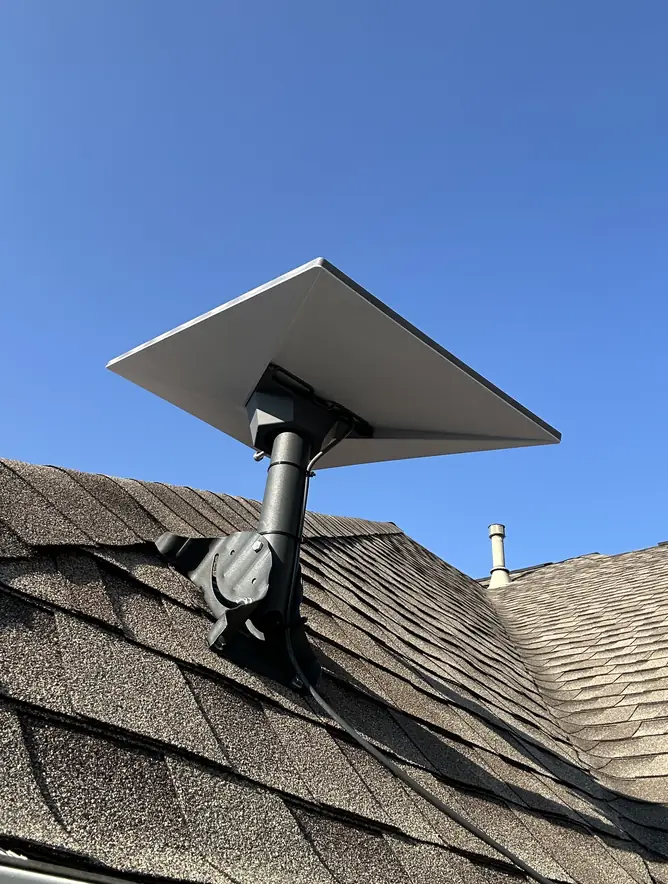
The most common choice for homes with a clear view of the sky. Every roof penetration is sealed to stop leaks.
Independent Starlink installers. We are not the Starlink company; we install and set up Starlink systems as a local service.Independent Starlink installers. We are not the Starlink company.Independent Starlink installers. Not the Starlink company.
We are not DISH Network. Booked a Starlink installation through DISH? Please contact DISH directly.We are not DISH Network. DISH installation? Please contact DISH directly.Not DISH Network. DISH install? Contact DISH.


Austin · San Antonio · College Station · Houston · Corpus Christi
Got your Starlink kit but no safe way onto the roof? Starlink Ready TX provides professional Starlink installation services for homes, ranches and shops across Central Texas and the Hill Country, from Austin and San Marcos to San Antonio, College Station, Houston and the Coastal Bend.
Insured · 20+ yearsObstruction check firstCable hidden and sealedWi-Fi for the whole property
Starlink installation services
Every property is different, so we choose the mount after we check your property, not before. Then we hide the cable and make sure your Wi-Fi reaches every building.
The most common choice for homes with a clear view of the sky. Every roof penetration is sealed to stop leaks.
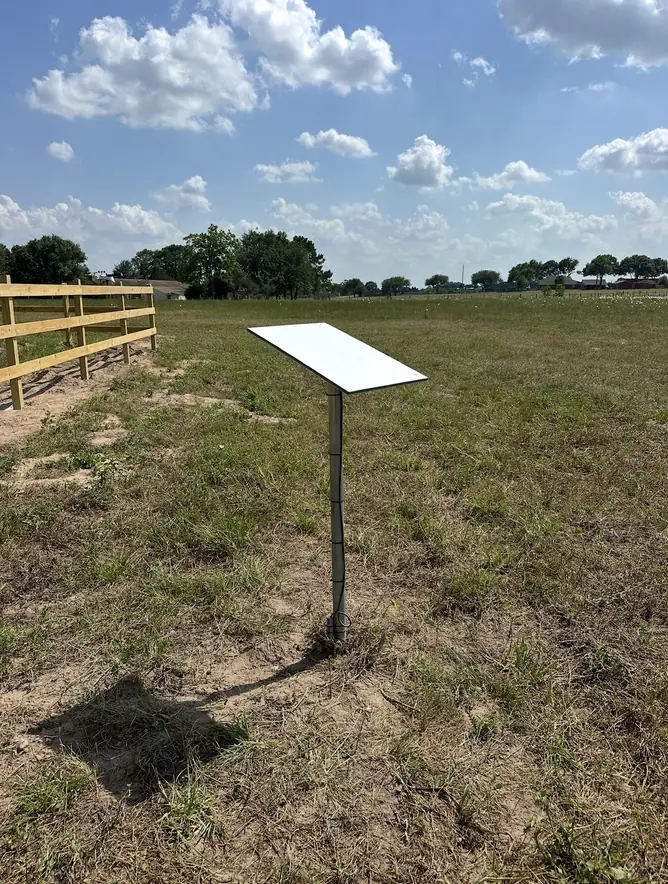
Gets the dish above tree lines and away from buildings. Popular on wooded Hill Country lots.
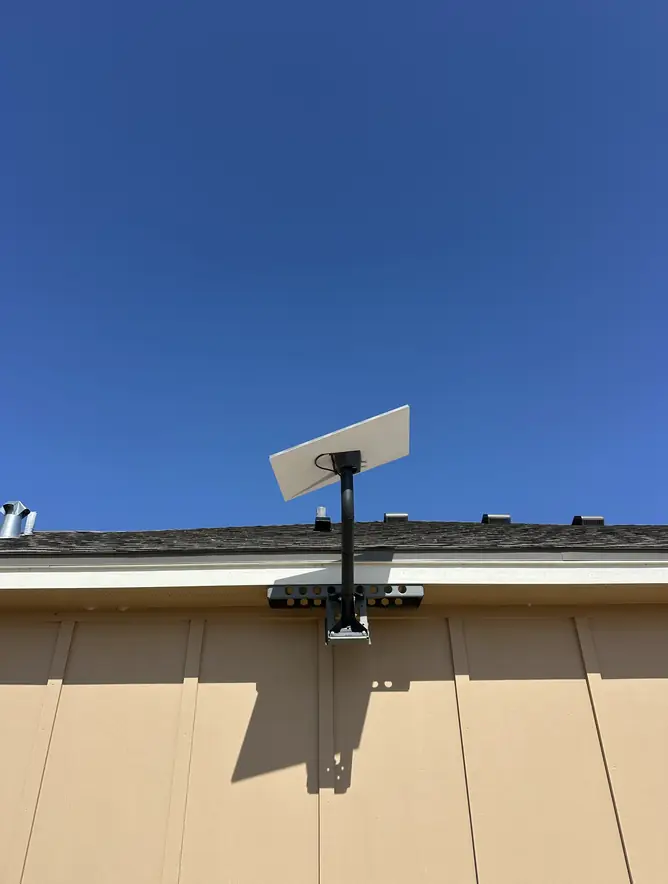
A solid option for eaves, barns and metal buildings. It keeps the dish off the roof while still clearing the roofline.
It's our specialty. We route your Starlink cable through the attic and inside the walls instead of stapling it down the siding or feeding it through a window. Every entry point is sealed against rain, drafts and bugs.
See how our hidden Starlink cable routing works →Starlink's router covers a typical house, but not a shop 300 feet away. We set up mesh Wi-Fi and wireless links so your barn, workshop, RV pad and guest house all get a strong signal.
Explore whole-property Starlink Wi-Fi →Set up Starlink yourself and now there's a cable across the roof and through the window? We re-route it through the attic and walls and seal the old openings, without replacing your whole setup.
Clean up my DIY install →From the first obstruction check to the last speed test, one installer handles the whole job.
What customers say
Had Starlink installed at our place in Cedar Park and couldn’t be happier with how it turned out. Esteban was straightforward, showed us where the dish would work best, and took care of the whole setup without making it complicated. The install came out clean, everything was tested before he left, and the connection has been solid ever since. Great experience from start to finish. I’d recommend Starlink Ready TX to anyone around Cedar Park needing a proper Starlink setup.
We needed a Starlink installation at our home in Round Rock, and Esteban did an excellent job. He took the time to find the best location for the dish, installed everything cleanly, and made sure the cable routing looked professional instead of just leaving wires exposed. The whole process was easy, and our internet has been working great since the installation. Esteban was knowledgeable, professional, and clearly takes pride in his work. I’d definitely recommend Starlink Ready TX to anyone in Round Rock or the surrounding area looking for a professional Starlink installation.
Who we are
Starlink Ready TX is a service of Hide My Cables LLC, a Texas-based installation company providing professional Starlink installation and connectivity solutions for homes, businesses, Airbnb rentals, ranches, farms, RVs, and rural properties throughout Texas.
Why choose us
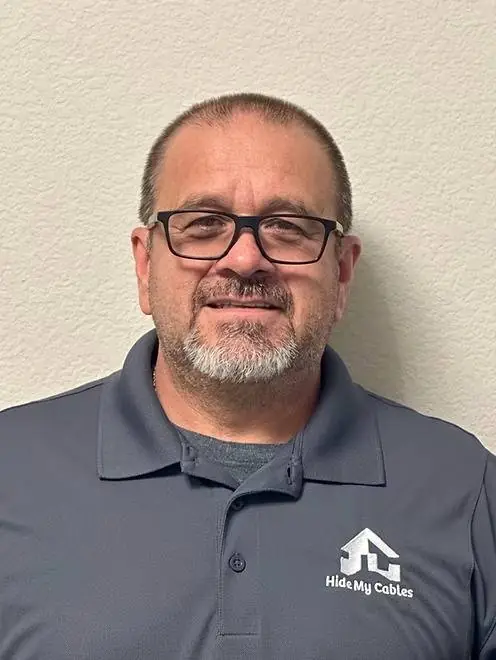
Owner-operated business
“I treat your home with the same care and respect as my own, and every job gets a clean installation.”
Every install
Every install gets a free, clear quote before any work starts. Get a free quote.
Our process
Call or send a few photos of your house and property.
We check for trees and rooflines that block the signal, then recommend the right mount.
We mount the dish, route and hide the cable, and seal every entry point.
We connect your router, set up the Starlink app, and run a speed test in every building you need covered.
Most installs take 1 to 3 hours and are finished in one visit.
How we route it
We find the shortest clean path from the dish to the best spot for your router.
A proper pass-through where the cable comes inside, sealed, with a drip loop.
The cable runs through the attic and down inside a wall to a neat wall plate.
Router placed, wired devices connected and a speed test where you need it.
Free quotes
No two properties are the same, so we don't use one-size-fits-all pricing. Send a few photos or call, and you'll get a clear, free quote before any work starts, including any travel fee.
What shapes your quote:
Not included: the Starlink monthly plan, which you buy directly from Starlink. Need the Starlink kit too? We can supply it.
Related services
Help Center
Straight answers about mounts, cables, Wi-Fi, cost and service areas. Pick a topic to jump straight to it.
No. Starlink needs a clear view of the sky, not a roof. A wall mount or a pole mount works just as well when it clears the trees and buildings around it.
Yes. The Starlink app has an obstruction check that works before the dish is installed. Hold your phone where the dish will sit and it shows how much of the sky is blocked. We run the same check before choosing a mount.
If your roof has a clear view of the sky, a roof mount is usually the simplest and least expensive option. If trees, a taller building or the roofline block part of the sky, a pole mount gets the dish above the obstructions. We decide after the obstruction check, not before.
Not when it's installed properly. Every penetration is sealed so your roof stays watertight, and on standing-seam metal roofs we can often use a clamp-on mount with no holes at all.
Yes. Standing-seam roofs can usually take a clamp-on mount with no holes. On other metal roofs, we seal every fastener.
We usually recommend a wall or pole mount instead of drilling through tile, because tile cracks easily. We'll show you the options after the obstruction check.
Yes. Every job starts with a site survey and line-of-sight check. We test for obstructions from the exact mounting spot before anything is drilled or mounted, and on large properties we compare several spots.
Yes. When a standard mount won't clear the obstructions or suit the building, we install custom structural mounts: taller poles, towers, and roof or wall mounts for unusual surfaces. We recommend one after the site survey and include it in your quote.
High enough to clear the trees and buildings that block your view of the sky. We check the obstructions from the spot the dish will sit, then size the pole to match.
It depends on the mount, your roof and how high the dish needs to go. We check your property first and give you a free, clear quote before any work starts. See how our quotes work.
In most homes, yes. We run it through the attic and inside the walls to a neat wall plate near your router, so you won't see it outside or across the floor.
Usually one small, planned entry point where the cable comes inside. We use a proper pass-through, seal it, and add a drip loop so water runs off instead of in.
Yes. Our cable cleanup service re-routes the cable through the attic and walls and seals the old openings, without replacing your whole setup.
Yes. We can run cable or Ethernet to outbuildings, underground when needed, or link them wirelessly. See whole-property Starlink Wi-Fi.
Yes. We run CAT6 through walls and attics to hardwire TVs, desktops, consoles and access points for maximum speed.
Yes. Outdoor cable, runs along exterior walls and underground runs to outbuildings go in weatherproof conduit, and every wall penetration is sealed.
It depends on your kit. Some Starlink kits need the adapter for wired devices and some don't. We'll tell you if yours does and connect it.
The standard Starlink kit includes about 50 ft (15 m) of cable. Starlink also sells a 150 ft (45 m) cable for longer runs. We measure the route during the quote and tell you before install day if you need the longer one.
We don't. Starlink notes that damage to the kit can void the warranty, so we route the cable intact through a sealed pass-through or a Starlink cable routing kit instead of cutting it.
Starlink's Gen 3 router covers up to about 3,200 square feet under ideal conditions, according to Starlink. Walls, floors and metal buildings reduce that, which is where mesh units and wired access points come in.
Yes. Starlink routers have a bypass mode for a third-party router, and the Gen 3 router's Ethernet ports can feed another router or access point. We set up whichever gives you the best coverage.
Starlink's router covers a typical house, but thick walls, metal buildings and distance all weaken the signal. Adding a mesh unit, ideally connected by cable, usually fixes dead spots inside the house.
Inside the house, a Starlink mesh unit is usually best. For a building up to a few hundred feet away, a mesh unit on an Ethernet run or an outdoor access point. For far outbuildings, a point-to-point wireless bridge.
Yes. We link outbuildings with cable, an outdoor access point or a wireless bridge, depending on the distance and what's in the way, then run a speed test in every building.
A well-aimed point-to-point bridge with a clear line of sight carries the connection between buildings like an invisible cable. We test the speed in each building before we leave.
Yes. Security cameras, gate openers, feeders and well monitors all need a steady connection. We make sure your outdoor devices are covered and on a reliable network.
Yes. We configure dual-WAN routers that combine Starlink with cable, fiber, DSL or cellular internet. Use both at once for load balancing, or set Starlink as an automatic backup that takes over when the other connection drops.
Yes. We install indoor and outdoor access points, wired back with CAT6 where possible, to cover large homes, shops and warehouses, then test coverage and speed across the space.
It depends on how many rooms and buildings you need covered and how far apart they are. We plan the coverage first and give you a free quote before any work starts.
For most rural Texas homes, yes. In Ookla speed tests, Starlink's U.S. median download speed was about 130 Mbps in late 2025, against about 46 Mbps for HughesNet, 42 Mbps for Viasat and often 5–15 Mbps for rural DSL. Starlink's delay is also around 45 ms, versus roughly 680 ms for HughesNet and Viasat, so video calls and online games work normally.
U.S. medians from Ookla speed tests, Q3 2025 (Starlink, HughesNet, Viasat). Rural DSL commonly runs 5–15 Mbps far from the phone company's office. Your speed depends on your plan and location.
Match your property to the service below. If you're not sure, the obstruction check decides it for you.
| Your situation | Recommended service |
|---|---|
| Open sky around the house | Roof mount |
| Trees or a taller building block the sky | Pole mount |
| Barn, shop or metal building | Wall mount |
| Standing-seam metal roof | Clamp-on mount, no roof holes |
| Already installed, cable through a window | DIY cable cleanup |
| Weak Wi-Fi in the shop or guest house | Mesh Wi-Fi or a wireless bridge |
The best place is the highest spot on your property with a clear view of the sky, as close to your router as practical. Check it first with the obstruction tool in the Starlink app, which works before the dish is installed. On an open lot that's usually the roof. With trees around the house, a pole mount above the tree line is usually better.
Ookla medians, Q1 2025. Lower is better: under about 100 ms, video calls and online games feel instant. Starlink's satellites orbit about 340 miles up instead of 22,000, and it only stays that fast with a clear view of the sky.
Your roof material decides whether we drill, clamp or avoid the roof entirely.
| Roof or site | Recommended mount | Holes in the roof? |
|---|---|---|
| Asphalt shingle, open sky | Roof mount | Yes, every one sealed |
| Standing-seam metal | Clamp-on mount | No |
| Exposed-fastener metal (barns, shops) | Roof mount or wall mount | Only sealed fasteners, or none with a wall mount |
| Tile | Wall or pole mount | No |
| Any roof with heavy tree cover | Pole mount set in concrete | No |
Yes. The cable can pass through an exterior wall at a single, sealed entry point, and Starlink sells cable routing kits for exactly this. The one rule is not to damage the cable: Starlink notes that damage to the kit can void the warranty, so the cable is routed intact rather than cut or spliced. The standard kit includes about 50 ft of cable, and Starlink sells a 150 ft cable for longer runs.
Approximate lengths from Starlink and the Ethernet standard. Beyond these, we place the router near the dish and run Ethernet, or link buildings with a wireless bridge.
Measure the route from the dish to where you want the router, then use this guide.
| Cable route, dish to router | What you need |
|---|---|
| Up to about 45 ft | The cable included with the standard kit (about 50 ft) |
| About 45 to 145 ft | Starlink's 150 ft cable, ordered from Starlink |
| Farther than that | Place the router near the dish, then run Ethernet from the router (up to 328 ft per run) |
| To a separate building | Ethernet in conduit, or a wireless bridge. See whole-property Wi-Fi |
Starlink's Gen 3 router covers up to about 3,200 square feet under ideal conditions, according to Starlink's specifications. Walls, floors and metal buildings reduce that. Past the house, standard Wi-Fi fades quickly outdoors, so outbuildings are usually connected with an Ethernet run (up to 328 ft per run) or a point-to-point wireless bridge.
FCC Broadband Speed Guide, per activity at the same time. Add them up for everyone at home, then make sure the Wi-Fi reaches every room and building where they happen.
Find where you're losing signal, then match it to the option below.
| Where the signal drops | Best option |
|---|---|
| A room or two inside the house | Starlink mesh unit, wired if possible |
| An office, shop or guest house nearby | Ethernet run to a mesh unit or access point |
| A building you can't trench to | Point-to-point wireless bridge |
| Yard, RV pad, pool or gate | Outdoor access point |
| Whenever your main internet goes down | Dual-WAN failover with Starlink as backup |
It depends on the property: the mount, the roof, the cable path, how many buildings need Wi-Fi and how far we travel. That's why Starlink Ready TX gives every customer a free, clear quote before any work starts.
Approximate road miles from Round Rock. Any travel fee is shown in your quote before you book.
We're based in Round Rock and cover eight regions, including the rural towns around each city.
| Region | Example towns | Typical properties |
|---|---|---|
| Central Texas | Round Rock, Temple, Burnet, Bastrop, Wimberley | Hill Country homes, ranches, lake homes |
| Austin area | Austin, Lakeway, Bee Cave, Cedar Park, Pflugerville | Lake Travis homes, Hill Country lots, neighborhoods |
| San Marcos area | San Marcos, Kyle, Buda, Martindale | Hill Country acreage, river properties, new homes |
| San Antonio area | Boerne, New Braunfels, Canyon Lake, Seguin | Hill Country acreage, river and lake homes |
| Dallas–Fort Worth area | Waxahachie, Weatherford, Granbury, Denton | Acreage, horse properties, lake homes |
| College Station & Brazos Valley | College Station, Bryan, Caldwell, Navasota | Farms, ranches, country homes |
| Houston area | Katy, Magnolia, Tomball, Brenham | Wooded acreage, farms, country homes |
| South Texas & Coastal Bend | Floresville, Gonzales, Victoria, Rockport, Corpus Christi | Ranches, farms, coastal homes |
If any of these sound familiar, the problem usually isn't Starlink. It's where the dish is sitting.
Video calls freeze for a few seconds at a time as the satellites pass behind a tree or roofline.
The Starlink app's obstruction map shows red patches where trees or buildings block part of the sky.
It's sitting on the lawn, a fence post or a table where you tested it, and it gets knocked over or moved.
Speeds drop at certain times of day, or never reach what your neighbors get with the same plan.
A bracket screwed into the roof deck with unsealed holes, or a mount that moves in the wind.
The cable runs across the roof and through a window because the dish ended up far from the router.
Yes. We're based in Round Rock, about 20 miles north of downtown Austin, and install Starlink across Austin and nearby towns including Lakeway, Bee Cave, Cedar Park, Leander, Pflugerville and Manor. Live oaks and cedar west of Austin often call for a pole mount.
Yes. We install Starlink in San Marcos and nearby towns including Kyle, Buda, Martindale and Maxwell. West of I-35 the Hill Country and tree cover often call for a pole mount; on the open land east of town a roof or wall mount usually works.
For many rural Texas properties outside cable and fiber coverage, yes. The key is a clear view of the sky, which is why we check for trees and rooflines before choosing where the dish goes.
It depends on the mount, the cable path, how many buildings need Wi-Fi and how far we travel, so every customer gets a free, clear quote before any work starts.
Yes. We're based in Round Rock and also take jobs in and around the San Antonio, Dallas–Fort Worth and Houston areas, including the rural towns around each city.
Yes. We install Starlink in College Station, Bryan, Caldwell, Navasota and the rural areas between Austin, College Station and Houston.
Yes. We cover South Texas from Floresville, Kenedy, Gonzales and Cuero down to Victoria, Rockport and Corpus Christi. Near the coast, a secure mount and sealed cable matter even more because of wind and salt air.
We don't currently take jobs in West Texas or the Panhandle (including El Paso, Midland, Odessa, Lubbock, Amarillo and San Angelo), Wichita Falls, the Rio Grande Valley and Laredo, or East Texas around Tyler, Longview, Nacogdoches, Lufkin and Texarkana.
Yes. On standing-seam metal roofs we can often use a clamp-on mount that needs no holes. On other metal roofs, we seal every fastener.
Yes. We set the pole in concrete, get the dish above the trees, and run the cable underground or in conduit back to the house.
Any travel fee is shown in your quote before you book, so there are no surprises.
No. Order the kit from Starlink yourself, or Esteban can supply it for you. Your monthly plan is set up directly with Starlink, and we handle the rest.
Yes. Our cable cleanup service reroutes and hides existing cables and seals old openings.
The right mount depends as much on your roof as on the trees around it. Here's how we handle the roofs we see most.
The most common roof on Texas homes. The mount is fastened securely and every penetration is sealed so the roof stays watertight.
We can often use a clamp-on mount that grips the seam, with no holes in the roof at all.
Common on barns and shops. We seal every fastener, or use a wall mount on the building instead.
Tile cracks easily, so we usually recommend a wall or pole mount rather than drilling through it.
Shops and barns often take a wall mount on the gable end, which clears the roofline without touching the roof.
New roofs, heavy tree cover or a roof you'd rather not touch: a pole mount set in concrete out in the open.
Starlink vs. your internet
Rural DSL, HughesNet and Viasat were the only options out here for years. Starlink's low-orbit satellites changed that. Compare your connection in 30 seconds.
AI Internet Comparison
Four quick questions. See how your connection compares with Starlink.
Pre-filled with a typical speed for your connection. For your exact number, run a free test at speedtest.net and move the slider.
DSL at 10 Mbps can't keep up with the ~51 Mbps your household needs for work calls and 4K streaming. Starlink's typical ~130 Mbps covers it with room to spare.
Starlink figures are U.S. medians from Ookla speed tests (2025): about 130 Mbps download, 15 Mbps upload and 45 ms delay. Activity needs follow the FCC Broadband Speed Guide. Real speeds depend on your plan, location and a clear view of the sky, which is exactly what a professional install gets right.
Get Starlink InstalledYour local installer
We're a Round Rock–based Starlink installer serving rural properties across Williamson, Burnet, Bell, Travis, Bastrop, Llano and nearby counties. That includes Liberty Hill, Taylor, Temple, Killeen, Burnet, Marble Falls, Kerrville, Lampasas, Bastrop, Giddings and many towns in between. We also take jobs in and around San Antonio, College Station and Bryan, Houston, Victoria and Corpus Christi. If you're looking for a Starlink installer near you anywhere in Central or South Texas, we most likely cover your area. See pricing and all service areas.
Starlink Ready TX is run by Esteban Padilla, a professional installer with more than 20 years of experience and more than 500 installs completed, and we're insured. We find the spot with the clearest view of the sky, mount the dish securely, and run the cable out of sight, through the attic or wall and sealed against the weather. Then we make sure your Wi-Fi reaches the whole property, not just the living room.
Esteban PadillaProfessional Installer · Starlink Ready TX
Properties we work on
From a single-story farmhouse to a 40-acre ranch with a shop, barn and guest house, we plan the mount, the cable path and the Wi-Fi around the way you use your property.
Homes outside city internet coverage, where Starlink is the best connection available and the install has to look as good as the house.
Several buildings spread across acreage. We cover the house, the barn and the outbuildings from one Starlink system.
Heavy tree cover and hills are the main cause of dropouts. The obstruction check decides between a roof and a pole mount.
Metal shop buildings block Wi-Fi. We run cable or a wireless link so the shop gets its own strong signal.
Reliable internet for guests, family and RV hookups, on the same network as the main house.
Security cameras, gate openers, feeders and well monitors all need a steady connection out on the property.
Built for Texas
A Starlink install that works on day one has to keep working through Texas summers, spring storms and the trees that keep growing around your house.
Trees are the #1 cause of Starlink dropouts in the Hill Country. We check obstructions from the exact mounting spot, and a pole mount gets the dish above the tree line when the roof can't.
Cable left on the roof and siding wears out in the Texas sun. We route it through the attic and walls, and exposed outdoor sections go in protective conduit.
Mounts are installed for long-term reliability, and the cable is secured along its whole route so nothing flaps, rubs or pulls loose in high wind.
Central Texas storms bring lightning. Grounding and surge protection for the dish cable is available on every roof and pole install.
Standing-seam metal roofs are common on Texas homes and barns. We can often use a clamp-on mount with no holes at all, and we seal every fastener on other metal roofs.
Ranch roads, shops hundreds of feet from the house, properties far out of town. We come to you and plan the network around the distances you actually have.
DIY vs. professional
Starlink is designed so anyone can plug it in. Getting it mounted in the right spot, sealed against the weather and covering your whole property is the part people call us for.
| Typical DIY install | Starlink Ready TX | |
|---|---|---|
| Dish location | Wherever the ladder reaches | Chosen after an obstruction check from the mounting spot |
| Cable | Across the roof, down the siding, through a window | Through the attic and inside the walls, out of sight |
| Entry point | A cracked-open window or an unsealed hole | A proper pass-through, sealed, with a drip loop |
| Roof | Unsealed screws or a dish on the ground | Every penetration sealed, or a no-holes clamp on standing seam |
| Wi-Fi | Router wherever the cable ends | Router placed for coverage, mesh and bridges where needed |
| Testing | Guesswork | Speed test in every building you need covered |
Already installed it yourself? Our cable cleanup service fixes the cable without replacing your whole setup.
Send us a few photos of your house and property. We'll check the sky view, recommend a mount and send you a free quote.
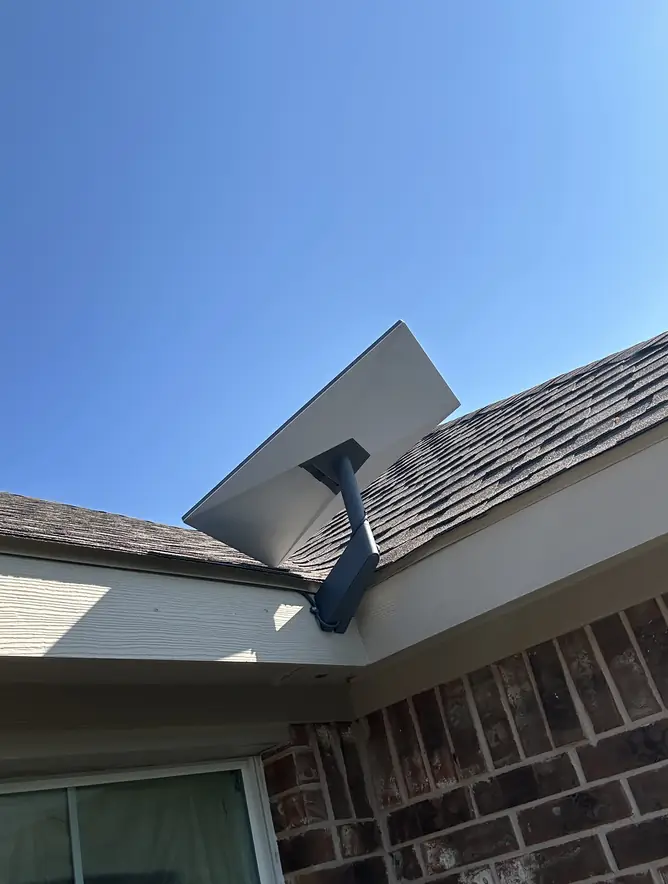
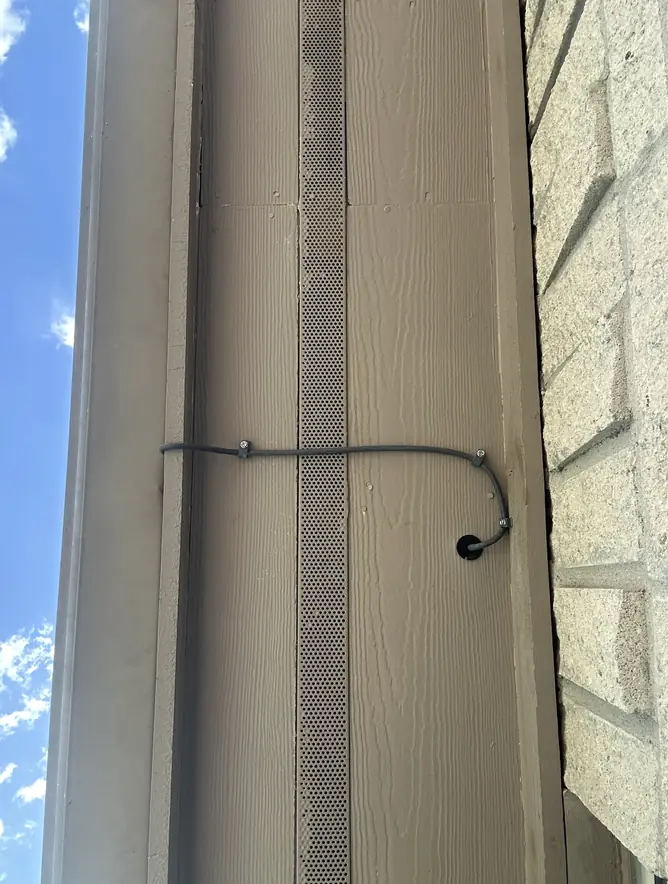
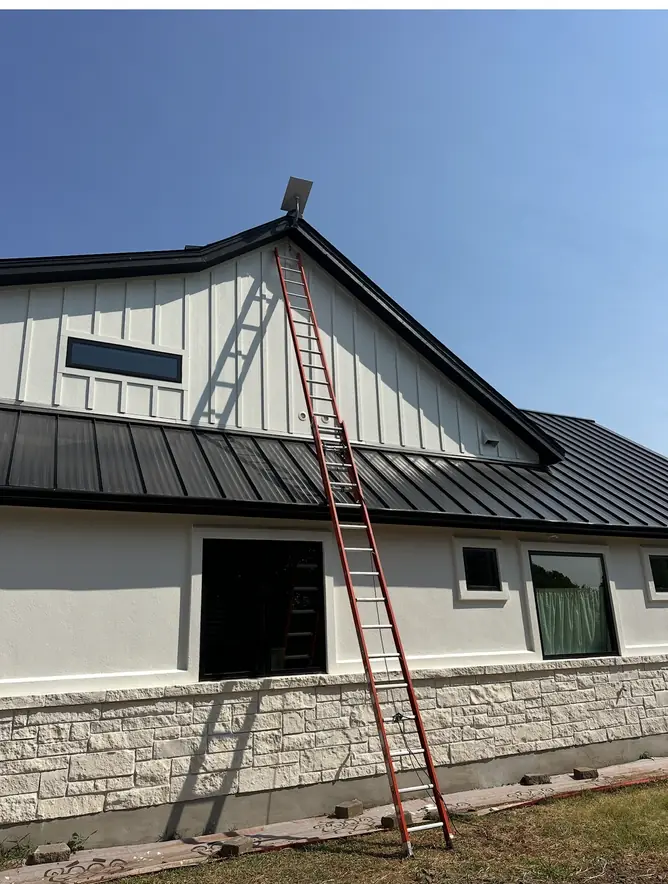
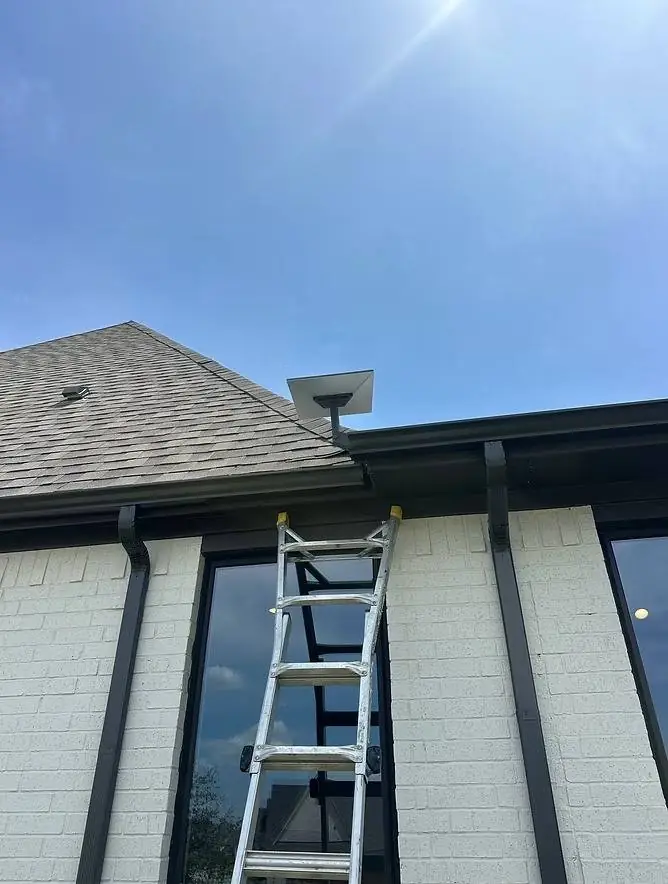
Real installation work
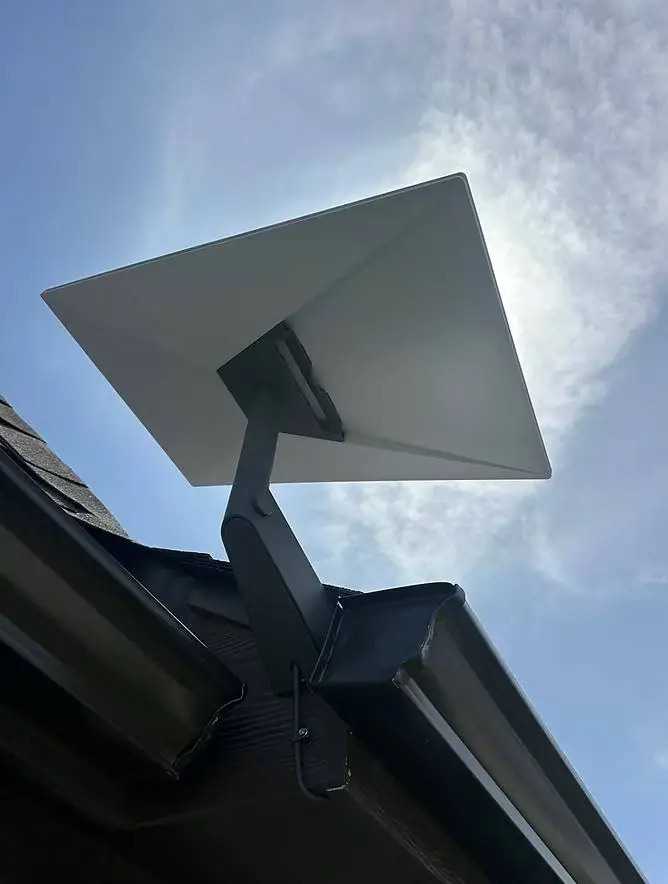
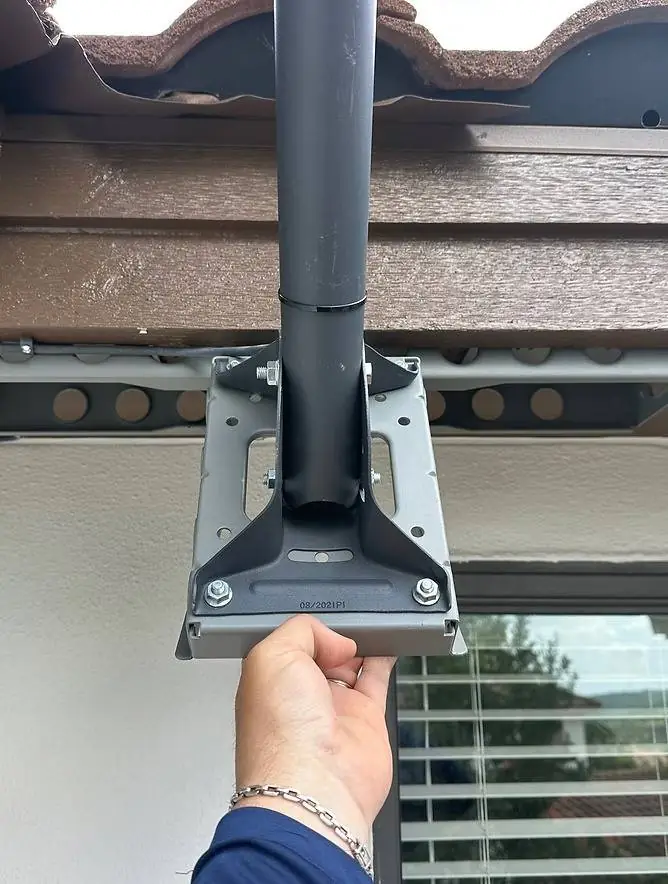
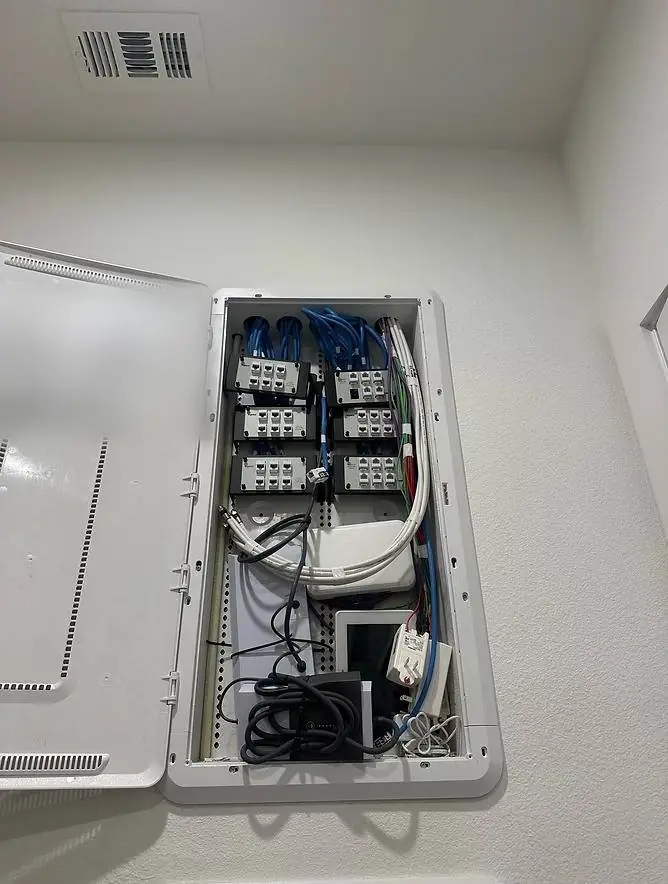
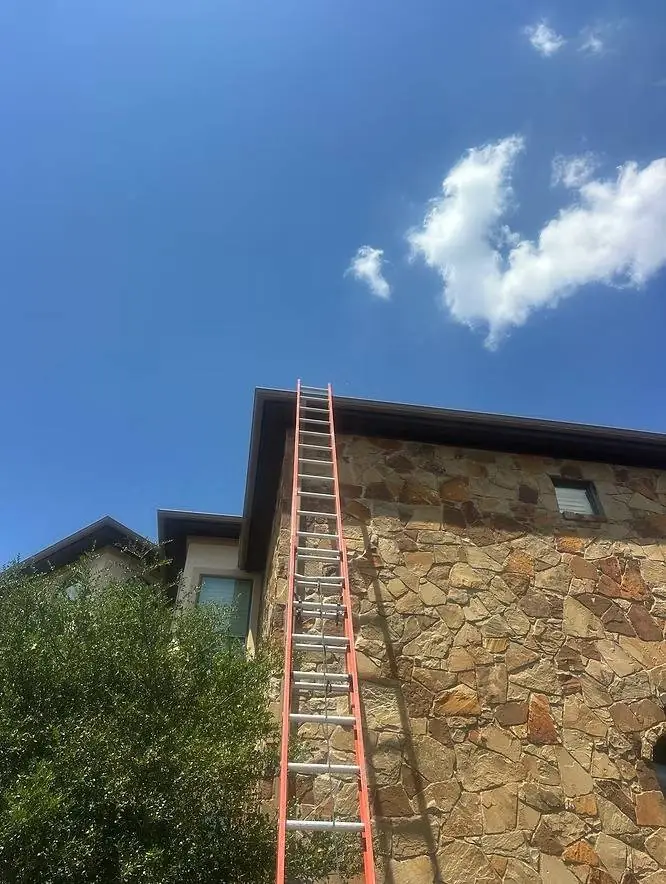
Secure mounts, clean cable runs and tidy finishes from real Starlink Ready TX installations.
Service areas
We're based in Round Rock and install across Central Texas and the Hill Country, including Austin and San Marcos. We also take jobs in and around San Antonio, College Station, Houston, Dallas–Fort Worth and down to Victoria and Corpus Christi, including the rural towns around each city.
Our home base: Round Rock, the Hill Country, Bell County and east to Bastrop and Giddings.
Lake Travis, the hills west of Austin, and the neighborhoods and acreage around the city.
Hays County, from the Hill Country west of I-35 to the farmland east of town.
Hill Country acreage and rural homes north and east of San Antonio.
Acreage and rural properties around the edges of the Metroplex.
Farms, ranches and country homes between Austin, College Station and Houston.
Properties on the rural west and north sides of greater Houston.
Ranches, farms and coastal homes southeast of San Antonio, down to Corpus Christi.
Common questions
Yes. Starlink is designed so you can set it up yourself. People hire a professional when the dish needs to go on a roof or pole, the cable needs to be hidden and sealed, or the Wi-Fi has to reach more than one building.
It depends on the mount, the roof, the cable path and how far we travel, so every customer gets a free, clear quote before any work starts. Send a few photos or call 512-745-6178.
Usually, yes. In Ookla speed tests, Starlink's U.S. median download speed was about 130 Mbps in late 2025, against about 46 Mbps for HughesNet, 42 Mbps for Viasat and often 5–15 Mbps for rural DSL, with far less delay than HughesNet or Viasat. Try the Starlink vs. your internet calculator.
Most standard installs take 1 to 3 hours and are finished in one visit. Pole mounts, custom mounts and long cable runs to outbuildings can take longer.
Yes. Starlink Ready TX is insured, and Esteban Padilla brings more than 20 years of experience and more than 500 completed installs to every job.
Monday to Saturday, 7am to 8pm. Call or text 512-745-6178; we usually reply within an hour.
No. Order the kit from Starlink yourself, or Esteban can supply it for you. Your monthly plan is set up directly with Starlink, and we handle the rest.
Yes. Before we leave, your system is online, your Wi-Fi network is named and secured, and we've tested the speed.
Yes, that's most of our work: ranches, farms, lake homes and properties with several buildings.
We're based in Round Rock and install across Central Texas and the Hill Country, plus the San Antonio, College Station, Houston and Dallas–Fort Worth areas and South Texas down to Victoria and Corpus Christi. See all service areas.
Yes. Our cable cleanup service re-routes the cable through the attic and walls and seals the old openings, without replacing your whole setup.
No. Starlink Ready TX, a service of Hide My Cables LLC, is an independent installer and is not affiliated with, sponsored by, or endorsed by Starlink, SpaceX or DISH Network. If DISH scheduled a Starlink installation for you, please contact DISH directly. Starlink makes the kit and provides the service; we handle the mount, the cable routing and your Wi-Fi.
Free quote
Get a free quote today. Call or text 512-745-6178, or send us photos of your property. We usually reply within an hour.